|
|
|
Workflows are the blueprints for collaboration. They define the crucial second pair of eyes, trigger expert reviews, and guarantee compliance – making sure the right information makes it from draft to publishing. As always, Confluence has you covered.
|
|
|
|
|
Workflows and Approvals in Confluence
Draft, review, approved, published – the four seasons that every document goes through. But not always in the same way. A workflow can live entirely in the author’s head. Or it can be highly formalized with strictly defined approval process roles at every step of your documentation life cycle.
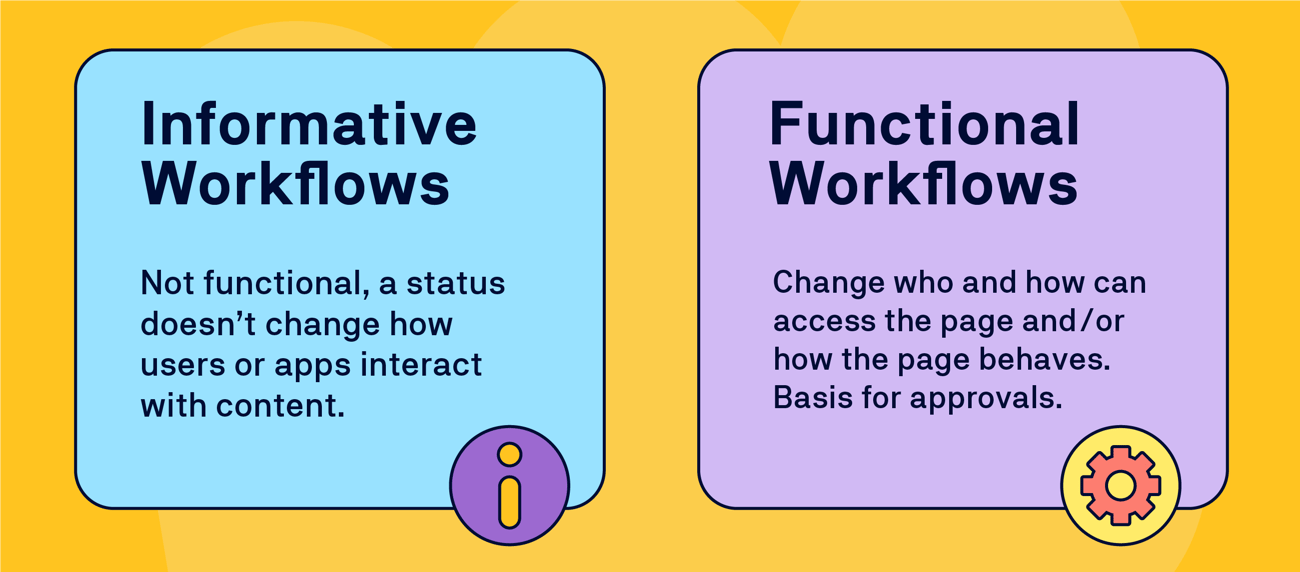
In its pure form, a workflow status simply carries information about the stage a specific page is in. In more sophisticated scenarios, a workflow status tasks a specific user (or a role) to perform a specific action – review, approve or reject, verify, etc. It may determine who can interact with a page or what other apps can do. |
 |
|
Confluence gives you plenty of options to guide the journey of any page. Let’s take a closer look at what to look for so you can choose wisely. |
|
|
What’s the Status?
The easiest way to keep an eye on where a page sits in its life cycle is to use Confluence page statuses. As such, they’re purely informative – they tell the status to whoever visits the page. There are two cool things about page statuses.
-
Customization: You can tailor them to fit your specific stages.
-
Live Editing: You apply them while in edit mode. In other words, they work with live docs, and you don’t have to publish a page to apply the status.
Are they useful beyond their information value? Well, yes. You can use them in automation workflows and some apps deploy status change as a trigger. For example, you can define which Confluence page status triggers page synchronization in Space Sync for Confluence.
Which brings us to the next level of workflows. |
|
|
|
|
Who Approved THIS?
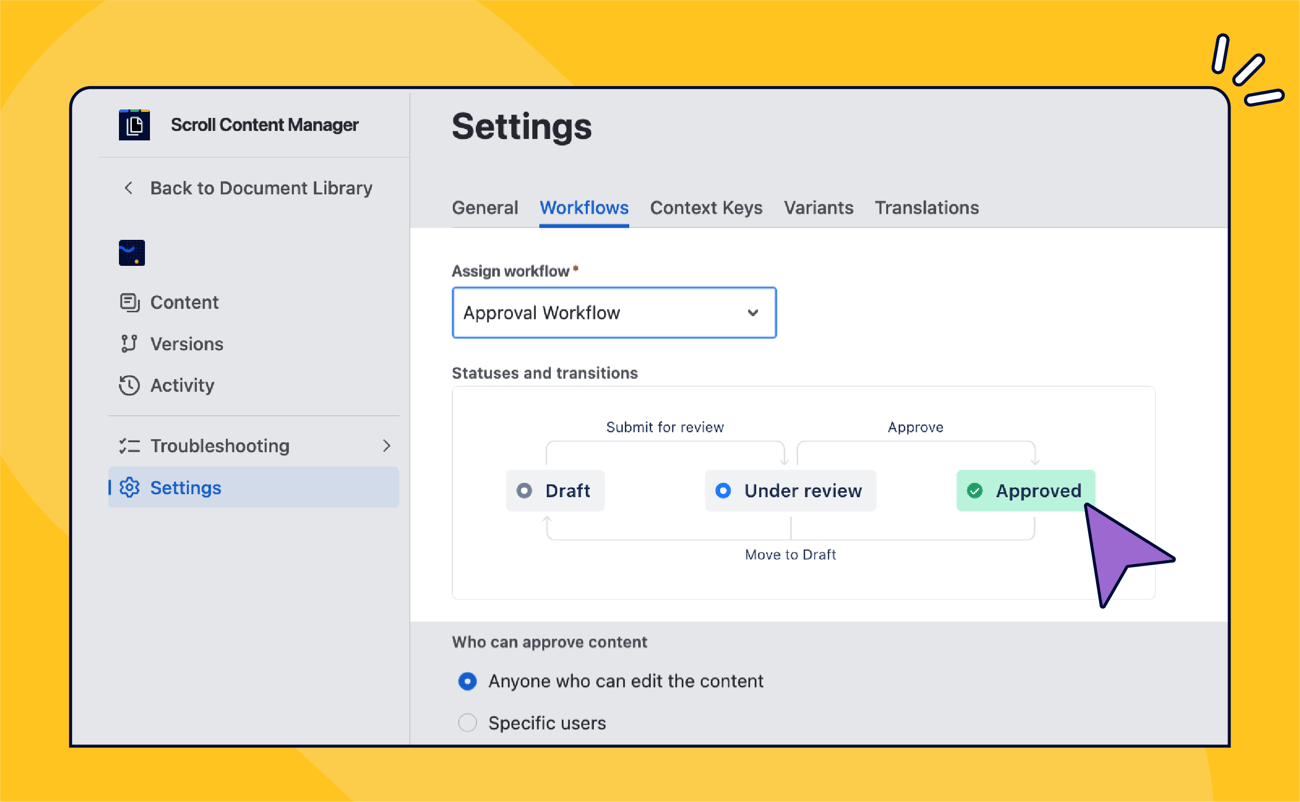
With a proper – properly configured – workflow you can really narrow down the number of suspects. Workflow management and approval apps have been a stalwart offering on the Atlassian Marketplace and have often morphed into entire suites of apps that take care of comprehensive documentation life cycle management. |
 |
|
When we introduced approval workflows to our Scroll Content Manager for Confluence to support our version-control feature, we joined the ranks of specialized tools that provided heavy-duty compliance workflows (Comala Document Control), captured just the right niche (AppFox’s Workflows for Confluence), or tried a fresh new approach to the age old problem (B1nary’s Breeze).
Which app you choose depends on your specific use-case, so it’s important to ask the right questions:
-
Are there traceability compliance requirements?
-
Are roles for specific workflow stages tightly controlled and permission dependent?
-
Do you need digital signatures?
-
Do you need to version your documents?
-
Do you need to track the history of approvals?
-
Do you need to control access to documents before they’re approved?
-
Can you customize the approval journey?
-
Do you need to automate the approval cycle (rejections returning to author, editing an approved page automatically restarting the process…).
|
|
|
The Big Picture
You should also ask what comes before and after the approval cycle. What happens to a document after it’s approved? Does it have to be published to another space? To a website? Exported to PDF?
It’s also worth exploring apps’ interoperability. More and more marketplace vendors use the platform approach offering a suite of apps where approval workflows are tightly integrated into a comprehensive document life-cycle package. You may even find two marketplace vendors working together offering mutual support for their respective apps. Some apps just happen to work with others. |
 |
|
Approval workflows might be your major pain point you have to deal with but before you commit to building a solution, always look at the big picture. Which brings us back to Atlassian again … |
|
|
Atlassians Ante Portas
Just about a month ago, Atlassian announced its new Confluence feature - Approvals. This continues their reputation for “sherlocking” marketplace apps by adding functionality previously in the domain of Marketplace vendors.
Approvals are now Open Beta, rolling out, slowly, to Premium and Enterprise users. They offer a few quirks – for example, you don’t have to publish (save) a page to apply a workflow status, and approval states work natively with Automation. The feature is in early stages and we’re keen to explore options to utilize it in our Scroll apps.
One thing is certain though. Approvals show that Atlassian is moving Confluence into the enterprise territory. |
|
|
|
|
 |
Atlassian Team’26 Europe – did you miss the Early Bird pricing?
First, the bad news. Super Fan and Early Bird tickets for Team’26 Europe that takes place on October 6 – 8 are gone. At €699 and €899, they were a steal.
Standard tickets are €1,199 which might be a bit steep but there’s a hack for those who want to attend as a team of three or more.
Travel as a team and you only pay €999 per ticket.
We’d love to meet you there! If you’re headed to Team’26 in October, we would love to catch up in person. Learn more about our sponsorship plans, how to snag a discount on your ticket, and book some time with the K15t team.
Learn more ➔
|
|
|
New Confluence Folder experience
Confluence Folders received a major update that not only adds new features but also reconciles two camps that seemed to have formed among the users. Those who loved folders, and those who … disliked them.
The TL;DR of the new features is that a folder is no longer an item that you click and … nothing happens.
Read more ➔
|
|
|